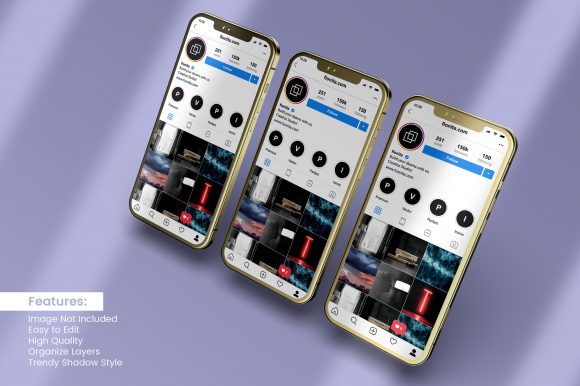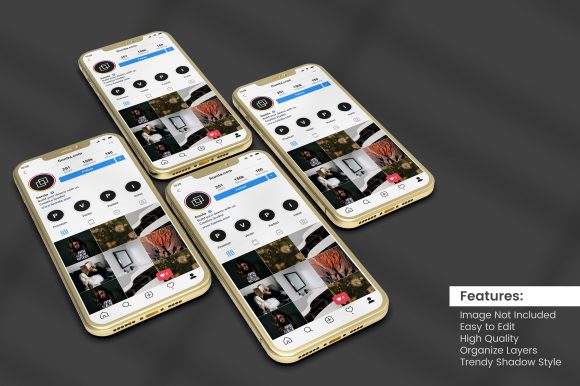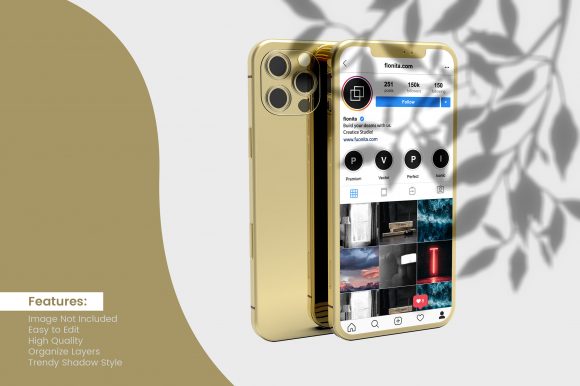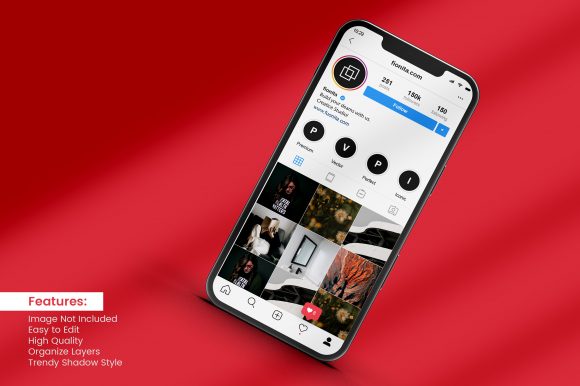
Smartphone Mockup with Instagram Stories
In the fast-paced world of digital marketing and social media branding, visual authenticity is everything. A flat image often fails to capture attention in a crowded feed, but placing your design inside a realistic 3d smartphone mockup instantly elevates the perceived value. This product transforms simple graphics into tangible, relatable content that resonates with modern audiences. Whether you are a freelancer pitching a new brand identity or a small business owner launching a seasonal campaign, having the right tools to visualize your work is crucial.
The Smartphone Mockup with Instagram Stories serves as a bridge between abstract concepts and real-world application. It allows creators to step out of the design software and see their work in the context where it will actually be consumed. By simulating the familiar interface of a mobile device, these mockups provide a sense of scale and realism that static images simply cannot achieve. They answer the critical question: "How does this look on a user's screen?"
Why Realism Matters for Social Media Design
When users scroll through their feeds, they are conditioned to recognize specific formats. The vertical aspect ratio of an Instagram Story is distinct from a standard post or a website banner. Using a template that mimics this exact environment helps stakeholders understand the composition better. It highlights how much white space is needed at the top and bottom for text legibility and ensures that key elements like logos or call-to-action buttons aren't obscured by UI elements.
A high-quality JPG file included in this package offers immediate utility. You can use these pre-rendered images for quick presentations, social media teasers, or portfolio thumbnails without needing to open complex software. However, the true power lies in the editable PSD file. This layer-based document gives designers total control over every aspect of the scene. From adjusting the lighting and shadows to swapping the background color or changing the phone model, the possibilities are endless.
This level of customization ensures consistency across your projects. If you are running a multi-platform campaign, you can maintain a cohesive aesthetic by using the same mockup style for your Instagram Stories, Facebook posts, and even email headers. Consistency builds trust, and trust drives engagement.
Creative Applications Across Industries
The versatility of this Smartphone Mockup with Instagram Stories extends far beyond just showcasing app interfaces. Different professionals can adapt these templates to suit their unique goals and target audiences. Here are several practical ways to leverage this asset:
- Marketing Agencies: Present campaign concepts to clients with high fidelity. Instead of describing a strategy verbally, show them exactly how the final ads will appear in a user's feed. This reduces ambiguity and speeds up the approval process.
- Content Creators & Influencers: Create engaging "behind-the-scenes" content or announce new collaborations. By placing your announcement inside a realistic phone frame, you create a meta-narrative that feels organic to the platform.
- Educators & Coaches: Share testimonials, course snippets, or daily tips. Visualizing educational content on a device makes it feel more accessible and shareable for students following along on their own phones.
- Small Business Owners: Promote limited-time offers or flash sales. A mockup featuring a discount code inside a story format creates urgency and directs attention immediately to the offer.
- Freelance Designers: Enhance your portfolio by displaying case studies within realistic contexts. Clients appreciate seeing the final product in action rather than just raw files.
Each of these groups brings a different perspective to the table. While a marketer might focus on conversion rates and clear calls to action, a creative director might prioritize typography and color harmony. The editable nature of the PSD file accommodates both needs, allowing for precise adjustments to meet specific project requirements.
Tailoring Your Design for Maximum Impact
To get the most out of this Smartphone Mockup with Instagram Stories, consider the psychological impact of your design choices. The frame itself acts as a boundary, guiding the viewer's eye. When designing your content, ensure that the most important information sits within the "safe zone"—the area not covered by the status bar or navigation buttons.
Lighting plays a significant role in realism. If you are using the editable PSD features to change the background, match the lighting direction of your mockup. For instance, if the phone is lit from the left, your graphic should have shadows falling to the right. Discrepancies here can make the image look fake and break the immersion for the viewer. Subtle touches, like adding a reflection on the screen or a slight glare on the bezel, can elevate a good design to a professional masterpiece.
Consider the context of the story. Is it a morning update? Use warm tones and soft lighting. Is it a late-night promotion? Opt for cooler colors and dramatic shadows. These atmospheric choices subconsciously influence how the audience perceives your message. By treating the mockup as a stage rather than just a container, you add depth to your storytelling.
Practical Workflow Tips for Efficiency
Working with realistic 3d smartphone mockup design assets should streamline your workflow, not complicate it. To keep your results organized and efficient, follow these best practices:
- Organize Layers: Before saving your final file, clean up your layer structure. Group related elements together, such as "Background," "Phone Frame," and "Screen Content." This makes it easier to revisit the file later or hand it off to a team member.
- Use Smart Objects: Take advantage of Photoshop's Smart Object feature. This allows you to scale your design up or down without losing resolution. Always place your final artwork as a Smart Object to preserve quality.
- Export Strategically: Save multiple versions of your work. Keep the layered PSD file as your master copy for future edits, and export flattened high-quality JPG files for web use. This ensures you always have a backup and optimized files ready for upload.
- Maintain Consistency: If you are creating a series of stories, save a preset version of the mockup settings (lighting, angle, background) so you don't have to recreate the setup for every single post.
These steps help maintain a professional standard across all your outputs. They also save time, allowing you to focus more on the creative aspects of your design rather than technical adjustments.
Building a Cohesive Brand Identity
Ultimately, the goal of using a Smartphone Mockup with Instagram Stories is to build a stronger connection with your audience. In a digital landscape saturated with content, standing out requires more than just good ideas; it requires excellent presentation. By presenting your work in a format that feels native to the platform, you signal that you understand the medium and respect the user's experience.
This product is perfect for a variety of projects because it adapts to your vision. Whether you need a subtle, minimalist look or a bold, vibrant display, the flexibility of the editable PSD file supports your creativity. It encourages experimentation, allowing you to test different styles and approaches until you find what works best for your specific audience.
Thank you for visiting my store. I hope this tool inspires your next creative endeavor. Feedback is always welcome, as it helps me continue to refine these resources for the community. Start building your digital presence today with a mockup designed for clarity, impact, and professionalism.